Data use
How Trenvano uses customer data
This page describes the Trenvano app for Shopify. It is kept in step with the privacy policy, which covers the same data in sections 4 and 5.
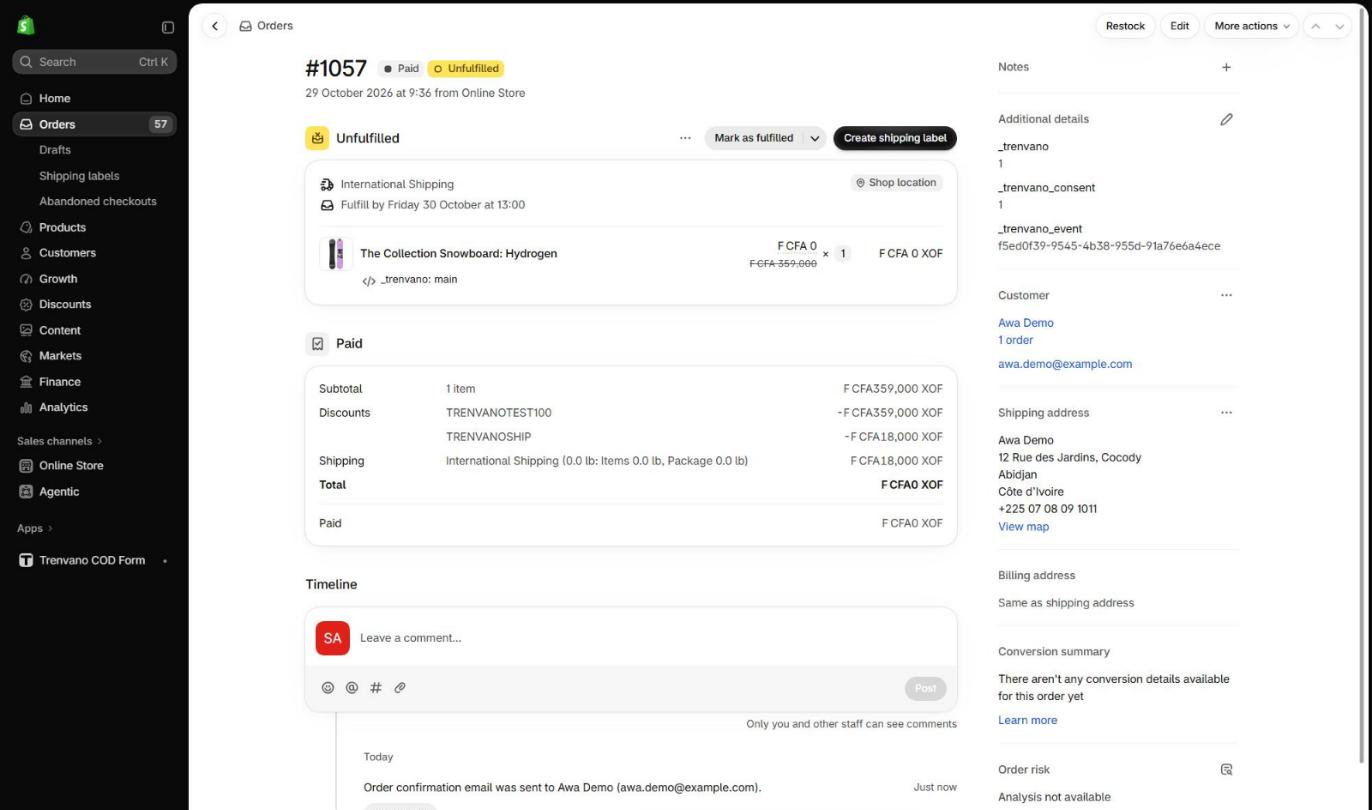
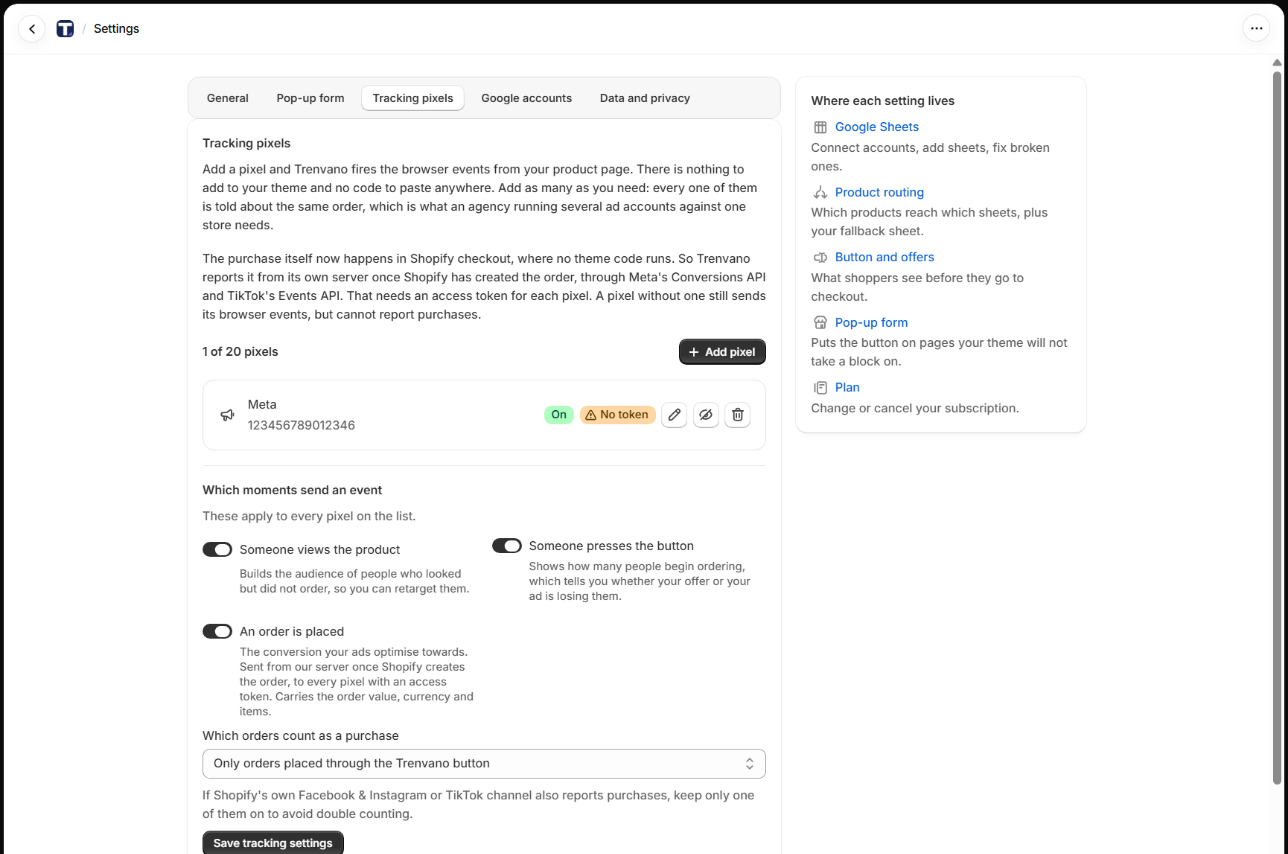
Trenvano reads each new order once, through Shopify's orders/create webhook, to write one row into the Google Sheets the merchant chose and, if the merchant has added a Meta or TikTok pixel with an access token, to report the purchase to that network. It never creates orders, never takes payment, and keeps no shopper contact details in its own database. Each field below is used for the purpose listed and nothing else.
1. Where each field goes
| Field | Where it goes | Why the merchant needs it |
|---|---|---|
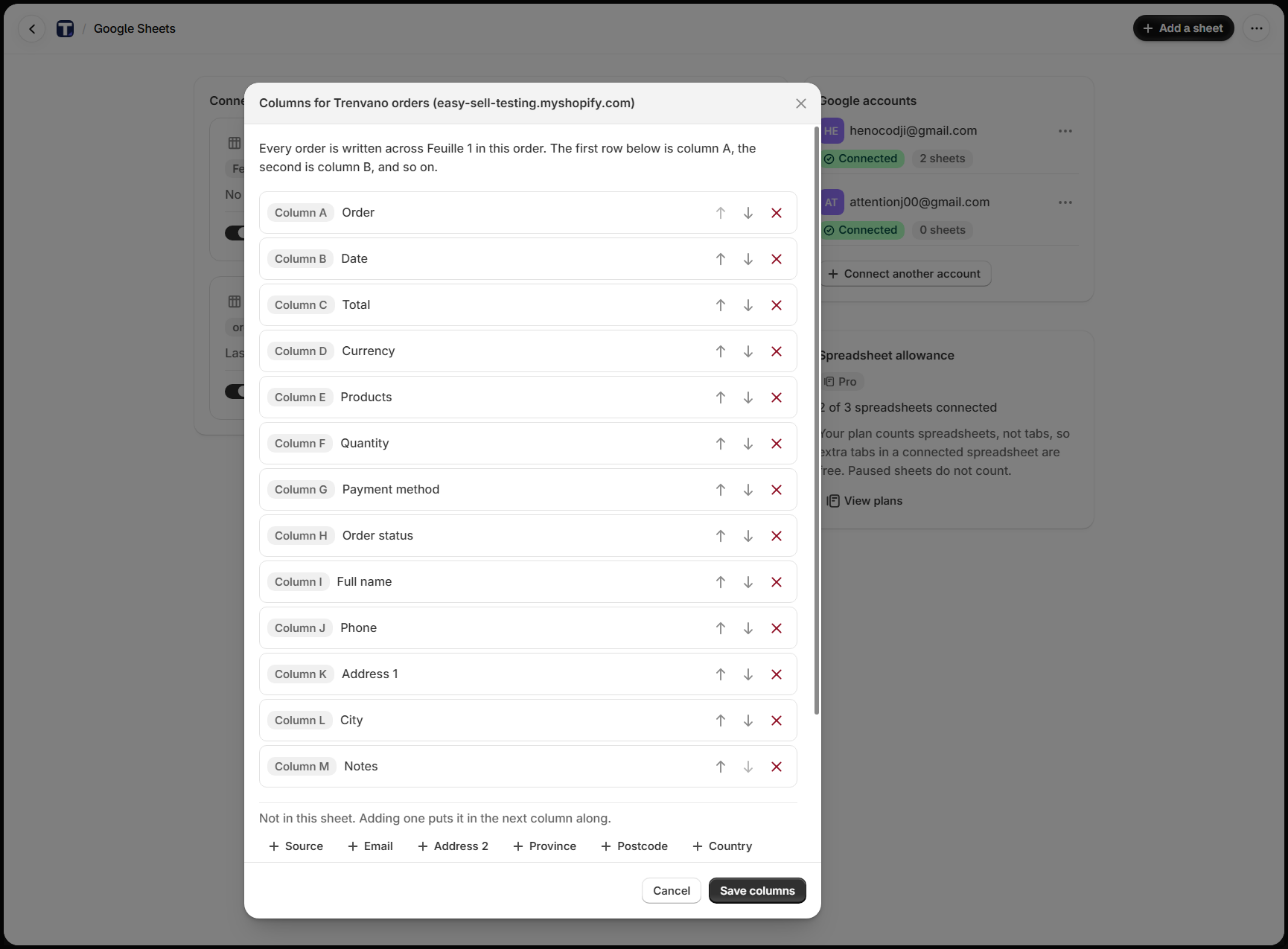
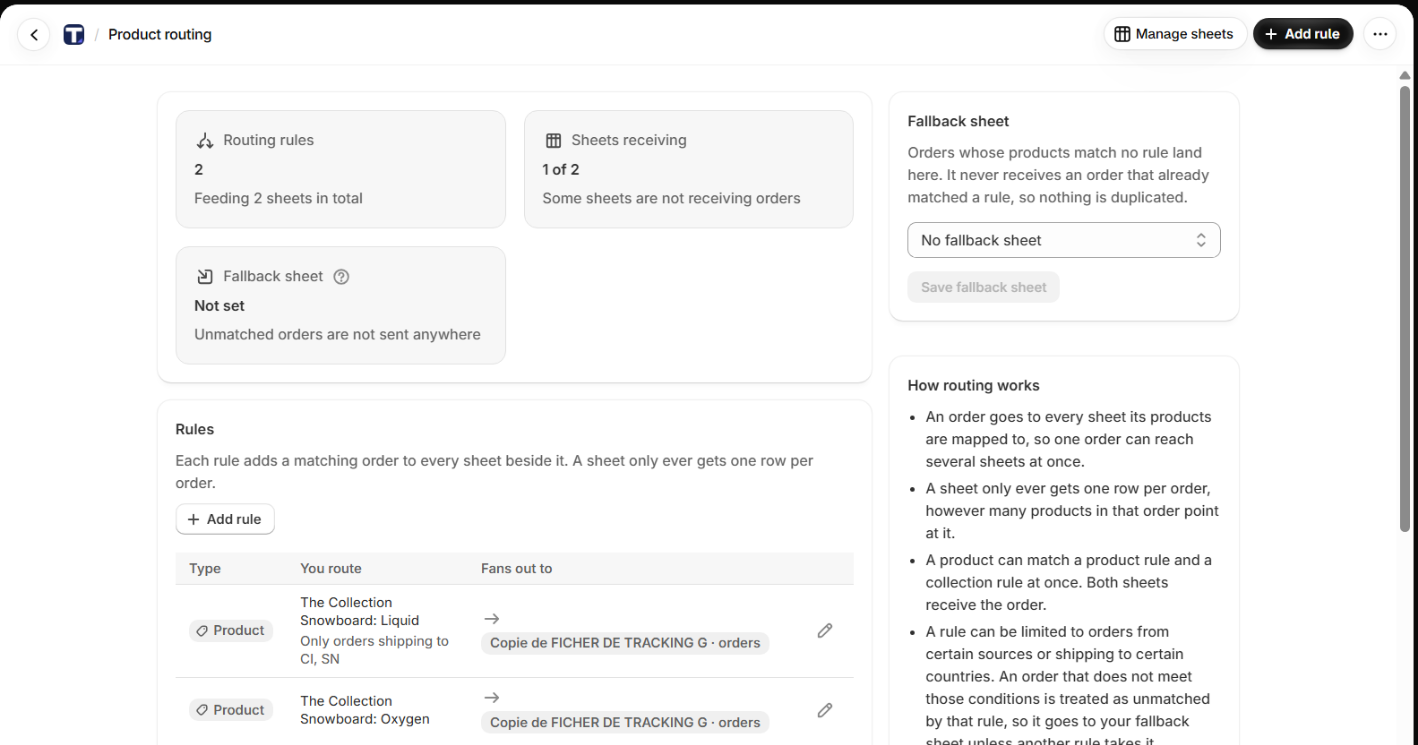
| Order number, date, total, currency, items, payment method, order note, order status link | The Order, Date, Total, Currency, Products, Quantity, Payment method, Notes and Order status columns of the sheet row. The products and their collections decide which sheet receives the order. The dashboard totals revenue from these orders. | A cash on delivery call centre works from the sheet, not from the Shopify admin. The row has to identify the order and what was bought. |
| Name (first and last) | The Full name column. When a Meta pixel with an access token is set, the first and last name are normalised and hashed with SHA-256 and sent in the purchase event. | The courier needs the name on the parcel. Meta uses the hash only to match the purchase to the ad click. |
| Phone | The Phone column. Hashed phone in the Meta and TikTok purchase events. | Cash on delivery orders are confirmed by phone before dispatch. This is the one column a cash on delivery merchant cannot work without. |
| The Email column. Hashed email in the Meta and TikTok purchase events. | Some shoppers give an email instead of a phone; the call centre uses whichever contact the order has. | |
| Shipping address | The Address 1, Address 2, City, Province, Postcode and Country columns. The shipping country can select which sheet gets the order, as a condition on a routing rule. Hashed city, region, postcode and country in the Meta purchase event. | The courier delivers to this address. Merchants who ship to several countries keep one sheet per country or courier. |
2. What it looks like
One test order placed on the demo store on 29 October 2026, from the product page to the row in the sheet. The screen recording below runs just over a minute; the stills follow it.

3. What Trenvano stores
Trenvano keeps an order log with the Shopify order id and number, the total and currency, the number of items, where the order came from, the country it ships to, and the delivery status per sheet. It holds no name, phone, email or address. A delivery that is retried reads the order from Shopify again rather than from a stored copy.
4. What Trenvano does not do
- No customer lookups and no customer lists.
- No messages to shoppers.
- No selling or sharing of data beyond the merchant's own sheet and the merchant's own pixel.
- No code in Shopify checkout.
- No orders created and no payments taken.